Receipt capture · OCR
Receipt OCR that reads every line.
Mylo’s OCR extracts the merchant, date, amount and tax from every receipt and invoice. It captures them straight from your inbox, not just the ones you remember to photograph, and matches each one to the transaction that paid for it.


30-day free trial. No card required, cancel anytime.
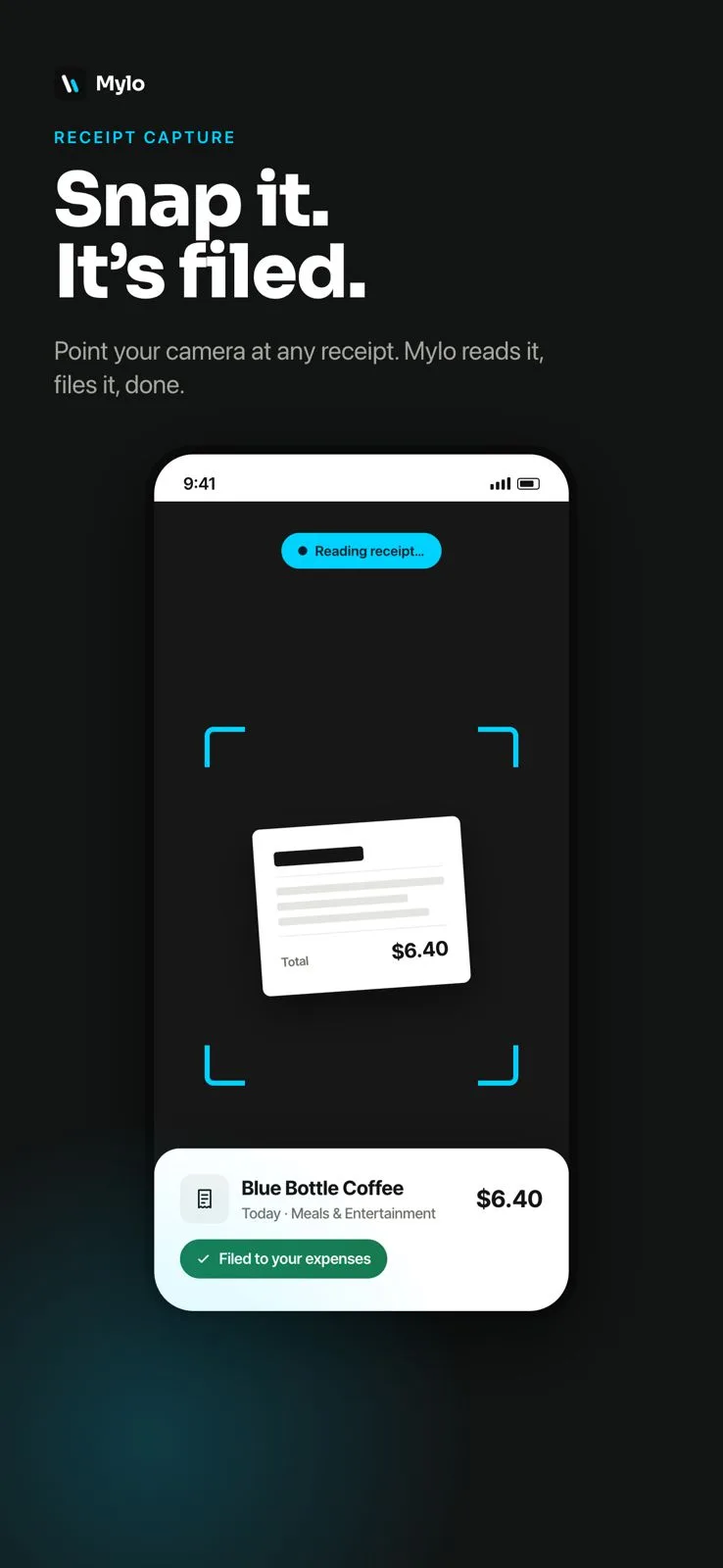
How it works
From image to structured expense.
No manual typing. Mylo turns every receipt into clean, categorized data, whether it was emailed, photographed or forwarded.
-
Step 1
Capture from anywhere
Mylo fetches receipts and invoices from your inbox automatically, and you can snap or forward the rest.
-
Step 2
OCR extracts the details
The merchant, date, totals and tax are read off the document and structured into an expense, line by line.
-
Step 3
Matched & filed
Each receipt is matched to the transaction that paid for it and filed as a categorized expense, ready for your books.
Every receipt read and filed before you could type one.
Why it matters
Accuracy without the data entry.
No manual typing
Stop keying receipts into a spreadsheet. Mylo reads them for you and structures the data.
Merchant, date, tax
The fields that matter for your books are extracted and categorized, so entries need far less cleanup.
Nothing missed
Because Mylo pulls receipts from the inbox, you capture the ones people forget to submit.
Audit-ready backup
Every expense keeps its original receipt attached, so proof is always one click away.
Read in full
Every field, straight off the receipt
Mylo reads the merchant, date, totals and tax off each receipt and structures it into an expense. No squinting at a photo and typing it in by hand.
- Merchant, date, amount and tax extracted
- Works on emailed, forwarded and photographed receipts
- The original image stays attached as proof
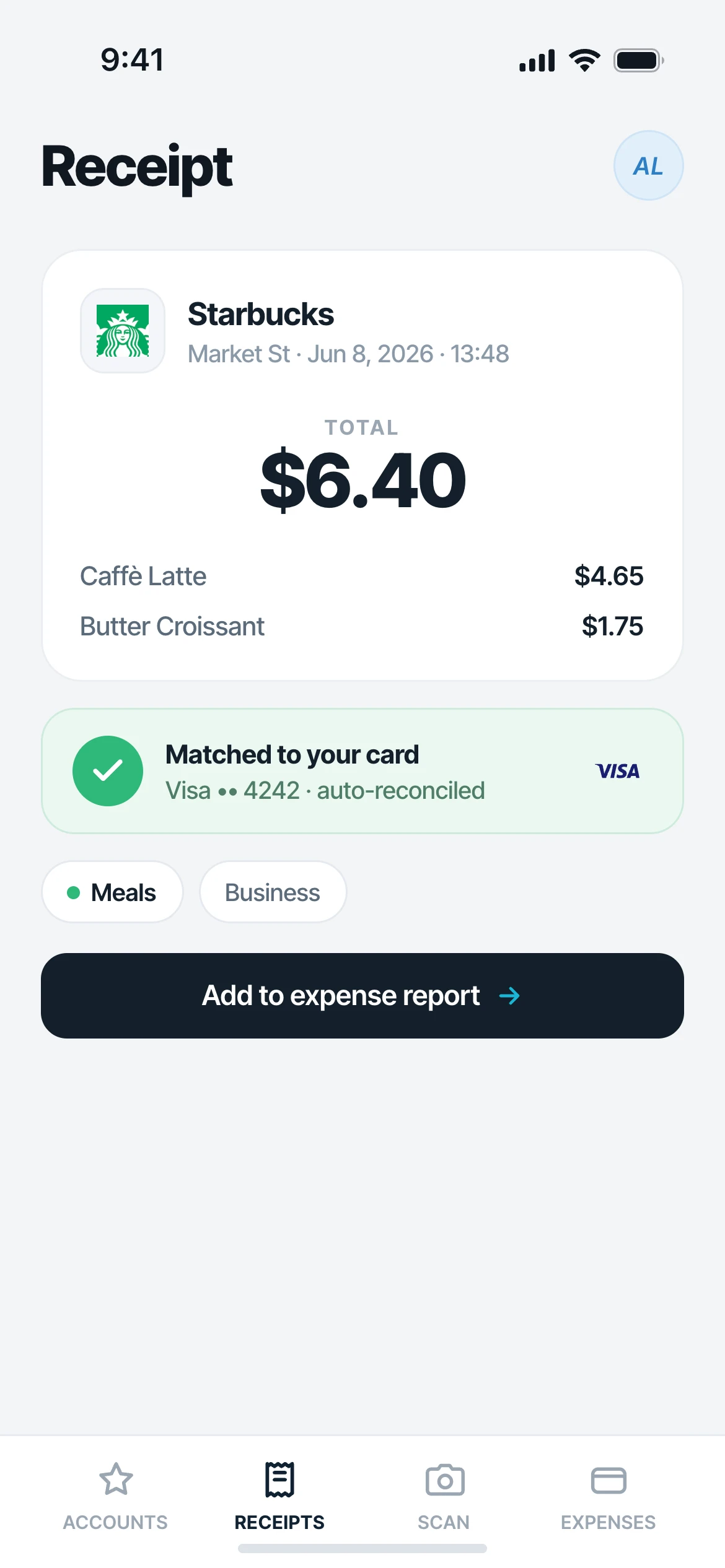
Straight to your books
Matched, categorized and filed
Each receipt is matched to the transaction that paid for it and filed as a categorized expense, ready to review and sync to QuickBooks.
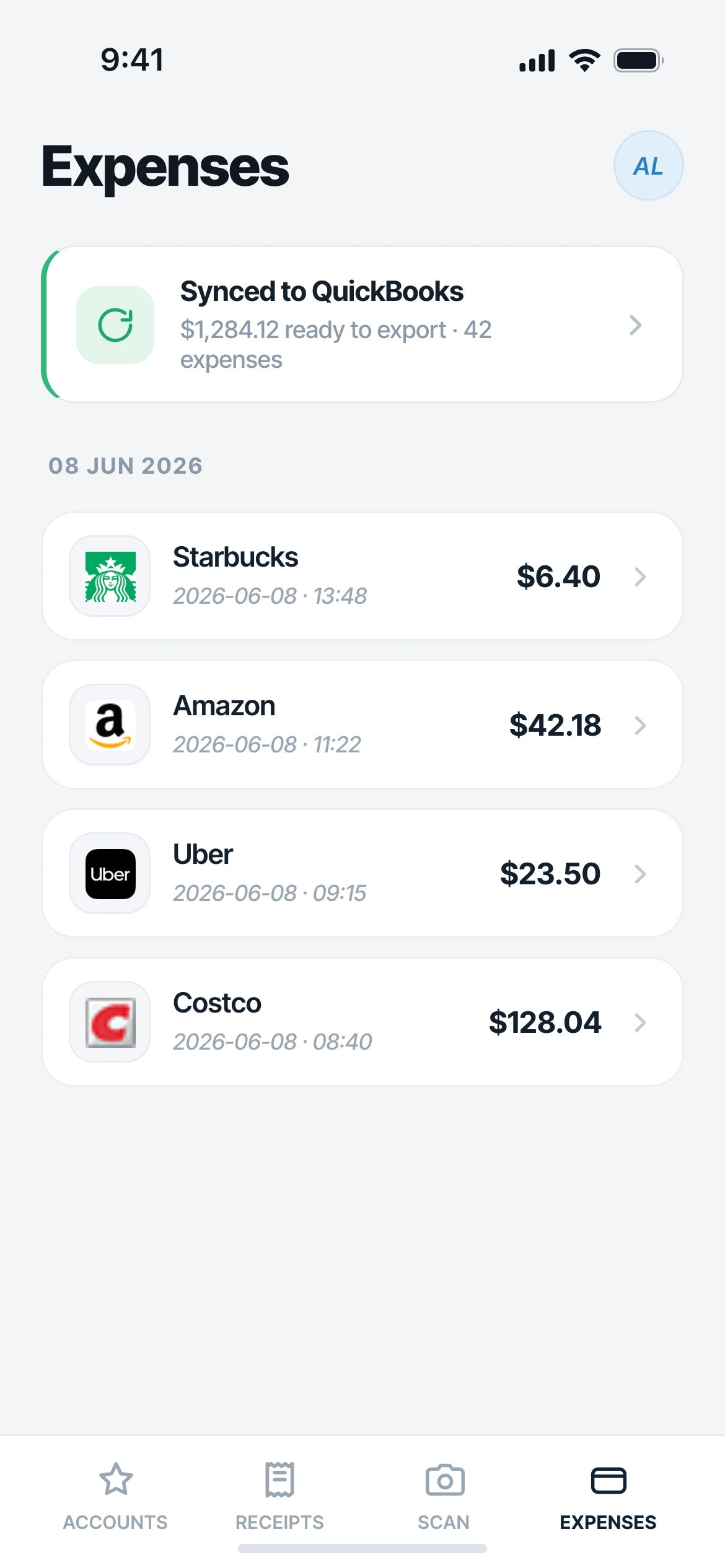
Works with what you use
Fits your accounting workflow.
Accounting
QuickBooks
Each entry
Receipt attached
More integrations
On the way
FAQ
Questions, answered.
What is receipt OCR?
Receipt OCR (optical character recognition) reads the text off a receipt image (merchant, date, amount and tax) and turns it into structured data you can use, instead of typing it in by hand.
Does Mylo read receipts from my email?
Yes. Mylo’s biggest advantage is fetching receipts and invoices straight from your inbox and running OCR on them automatically, so you capture the ones that never get manually submitted.
Does it capture line items?
Mylo extracts the key fields for bookkeeping (merchant, date, totals and tax) and matches each receipt to the transaction that paid for it.
Can I still scan paper receipts?
Yes. Snap a photo or forward an email and Mylo’s OCR handles the rest alongside the receipts it fetches automatically.
Where do the receipts end up?
Each receipt becomes a categorized expense with the image attached, and approved expenses sync to QuickBooks with the receipt in place.
Keep exploring
Let OCR do the receipt data entry.
Set up in a few minutes, on the cards you already carry.
30-day free trial. No card required, cancel anytime.