Industries · Restaurants
Every delivery, every invoice.
A restaurant takes deliveries most mornings from vendors who all bill differently. Sysco emails a PDF, the produce guy leaves paper on the walk-in, the beer distributor invoices on terms. Margins are thin enough that cost of goods is a weekly question, not a month-end one. Mylo puts every one of those invoices in a single ledger and matches it to the payment that cleared.


30-day free trial. No card required, cancel anytime.
How it works
From the walk-in door to the P&L.
The invoices show up three different ways, so Mylo catches them three different ways and puts them all in the same place.
-
Step 1
Email invoices get pulled in
Connect the inbox vendors bill to, read-only. Emailed invoices and PDF statements are captured without anyone forwarding them.
-
Step 2
Paper gets photographed
The invoice left on the walk-in gets scanned with the camera or texted in, and Mylo reads the vendor, date and total off it.
-
Step 3
Payments get matched
Mylo matches bills against bank and card transactions through Plaid, so paid and unpaid are facts rather than somebody’s guess.
-
Step 4
It lands in QuickBooks
Categorized expenses sync with the tax and the original document attached to the entry.
One ledger for what you owe, and proof of what you paid.
Why it matters
Why this matters on a thin margin.
Weekly, not monthly
Food and beverage cost is visible while you can still change an order, instead of in a close three weeks after the fact.
No paying it twice
One ledger of what is owed means a vendor who resends an invoice does not quietly get paid a second time.
Survives turnover
Capture does not depend on one manager’s habits. The inbox and card connections keep running when the person who set them up moves on.
Backup on every line
The invoice or receipt stays attached to the entry, which matters the day a vendor disputes what was delivered.
Accounts payable
Paid, unpaid, overdue
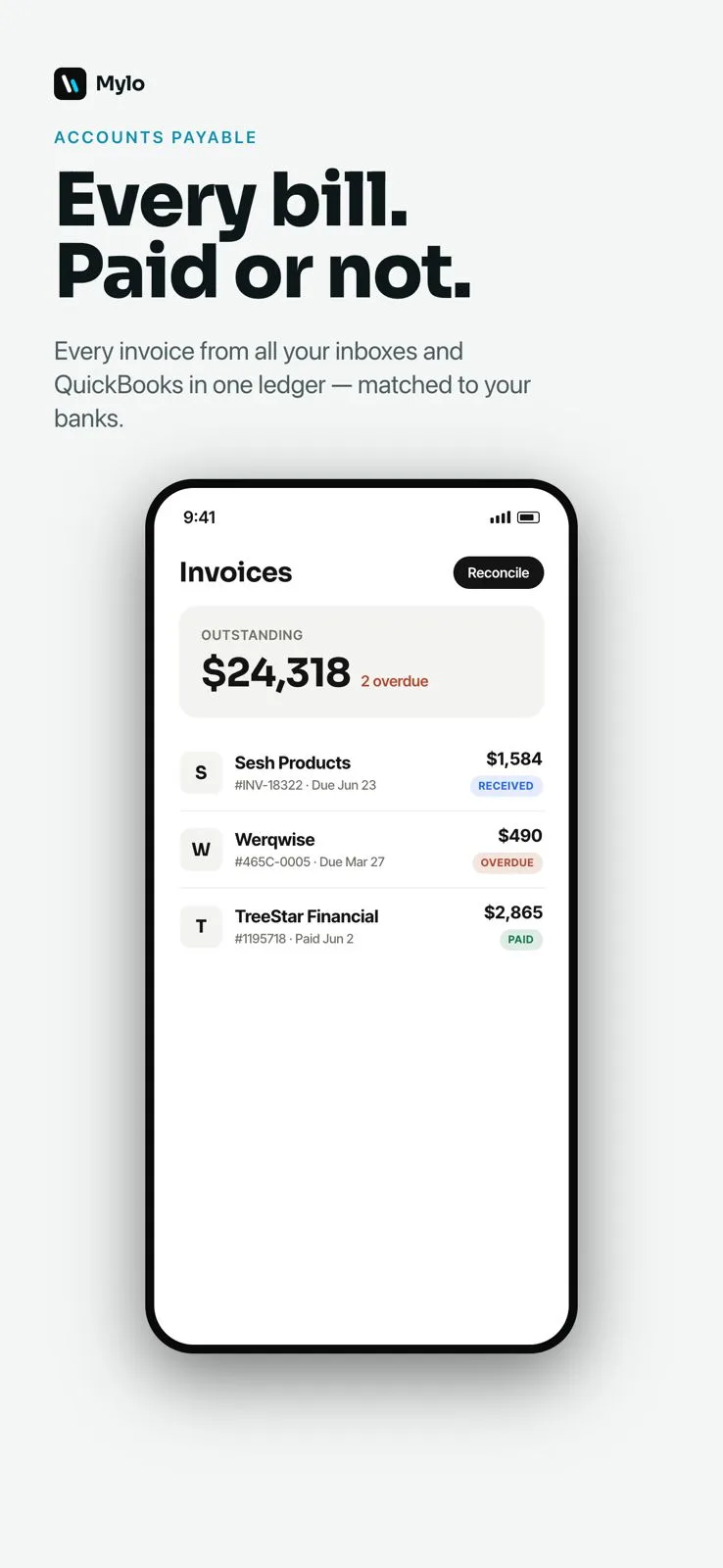
Mylo builds one ledger of the bills you owe, from your connected inboxes and from QuickBooks, then matches each one against bank and card payments. What cleared is marked paid. What did not is still sitting there with a date on it.
- Invoices captured from email and from QuickBooks
- Matched to the bank payment that settled them
- The same bill arriving twice stays one line, not two
Ask it
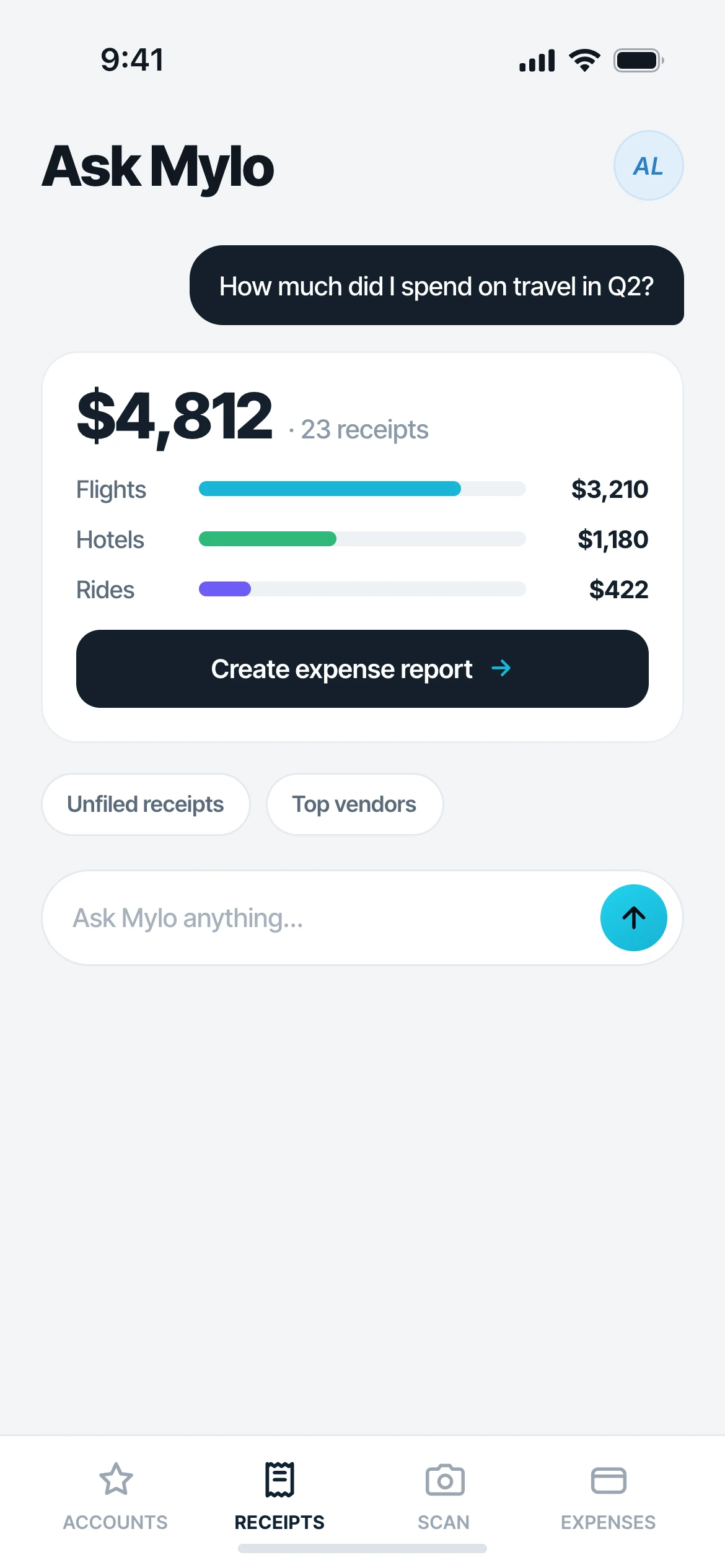
What did produce cost me last week
Ask in plain English and Mylo answers over your own spend. What a vendor cost this week against the same week last month, which invoices are still open, where the food and beverage line moved. No report builder, no pivot table at midnight.
- Plain-English questions over your own invoices and transactions
- Answers point back at the underlying documents
- Also readable by Claude, ChatGPT and Gemini, read-only
Works with what you use
Connects to what the office already uses.
Invoices from
Gmail, Outlook, iCloud
Payments from
12,000+ via Plaid
Accounting
QuickBooks
Ask it from
Claude, ChatGPT, Gemini
FAQ
Questions, answered.
How does Mylo know which invoices are unpaid?
It keeps one ledger of the bills captured from your inboxes and from QuickBooks, then matches them against your bank and card transactions through Plaid. A bill with a matching payment is paid. A bill without one is still open, with its due date visible.
Do I have to forward invoices to Mylo?
No. Connect the inbox your vendors bill to and Mylo reads it, read-only, capturing the invoices and receipts it finds. Forwarding still works if you want to push a specific one in by hand.
What about the paper invoice the driver leaves on the walk-in?
Scan it with the camera or text a photo in. Mylo reads the vendor, date, total and tax off the image and the bill joins the same ledger as the emailed ones, with the photo attached.
Can I see what I spent with a vendor?
Yes. Ask in plain English what a vendor has cost you over a period and Mylo answers from your own invoices and transactions. It is not a recipe costing or inventory system. It works from what you were billed and what you paid.
We have high turnover. What happens when a manager leaves?
The capture is a connection, not a habit. Inboxes and bank feeds keep pulling invoices in regardless of who is on shift, and approvals record who submitted and who signed off, so the history does not walk out with the person.
Does it work with the cards and accounts we already have?
Yes. Mylo does not issue a card. It connects to the Visa, Mastercard or Amex accounts you already use and to the bank account the vendor payments come out of.
Keep exploring
Put every vendor invoice in one place.
Set up in a few minutes, on the cards you already carry.
30-day free trial. No card required, cancel anytime.