Receipt capture · Connected accounts
The real receipt is behind a login.
“AMAZON.COM $148.32” is not a receipt. It is four items in one shipment, two of them personal, with tax and shipping folded in, and your books cannot use it. The itemized invoice exists. It is sitting in your Amazon account, behind a password, and it was never emailed to you. Mylo connects to that account and fetches it.


30-day free trial. No card required, cancel anytime.
How it works
Connect an account once, stop downloading invoices forever.
This is the part of receipt collection that no amount of forwarding fixes, because the document was never sent to you in the first place.
-
Step 1
Connect the account
Sign in to a store or service account through Mylo the same way you would sign in yourself. Some accounts ask for a verification step, and you complete it there.
-
Step 2
Mylo finds the orders
It goes through the order and billing history in that account and locates the invoices and itemized receipts behind it.
-
Step 3
It fetches the real document
The itemized invoice is pulled, read for merchant, date, total and tax, and kept attached to the expense as proof.
-
Step 4
Matched to your statement
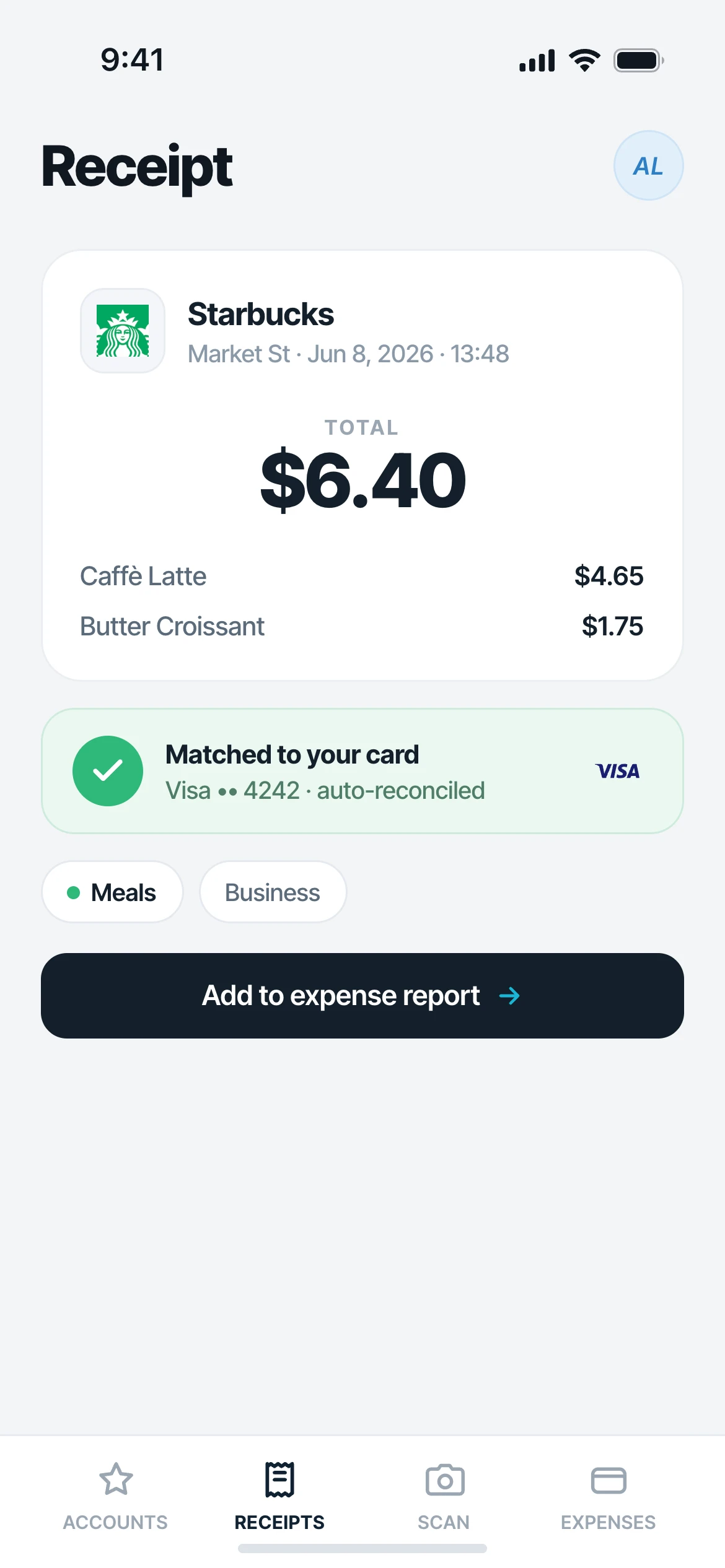
Each fetched invoice is matched to the card or bank transaction that settled it, so the vague statement line gets its backup.
A card statement tells you the total. The login tells you what you bought.
Why it matters
Why this is the hard part of expenses.
Itemized, not lumped
One Amazon charge covering four items is separable when you have the invoice. From the statement alone, it never is.
Real documentation
A statement line is not substantiation. The invoice from the vendor is, and it is what an accountant or an auditor asks for.
No monthly download ritual
Nobody has to log in to four portals at month-end to save PDFs into a folder. It happens on its own.
Better categorization
Knowing what was actually on the order is what makes the category and the tax treatment right the first time.
The gap nothing else closes
The email you got was “your order shipped”
Most large retailers and carriers do not email a usable receipt. You get a shipping notice, a delivery update or a one-line renewal confirmation with no tax breakdown. The document your bookkeeper actually needs stays in your account, and somebody has to go log in and download it. Mylo is that somebody.
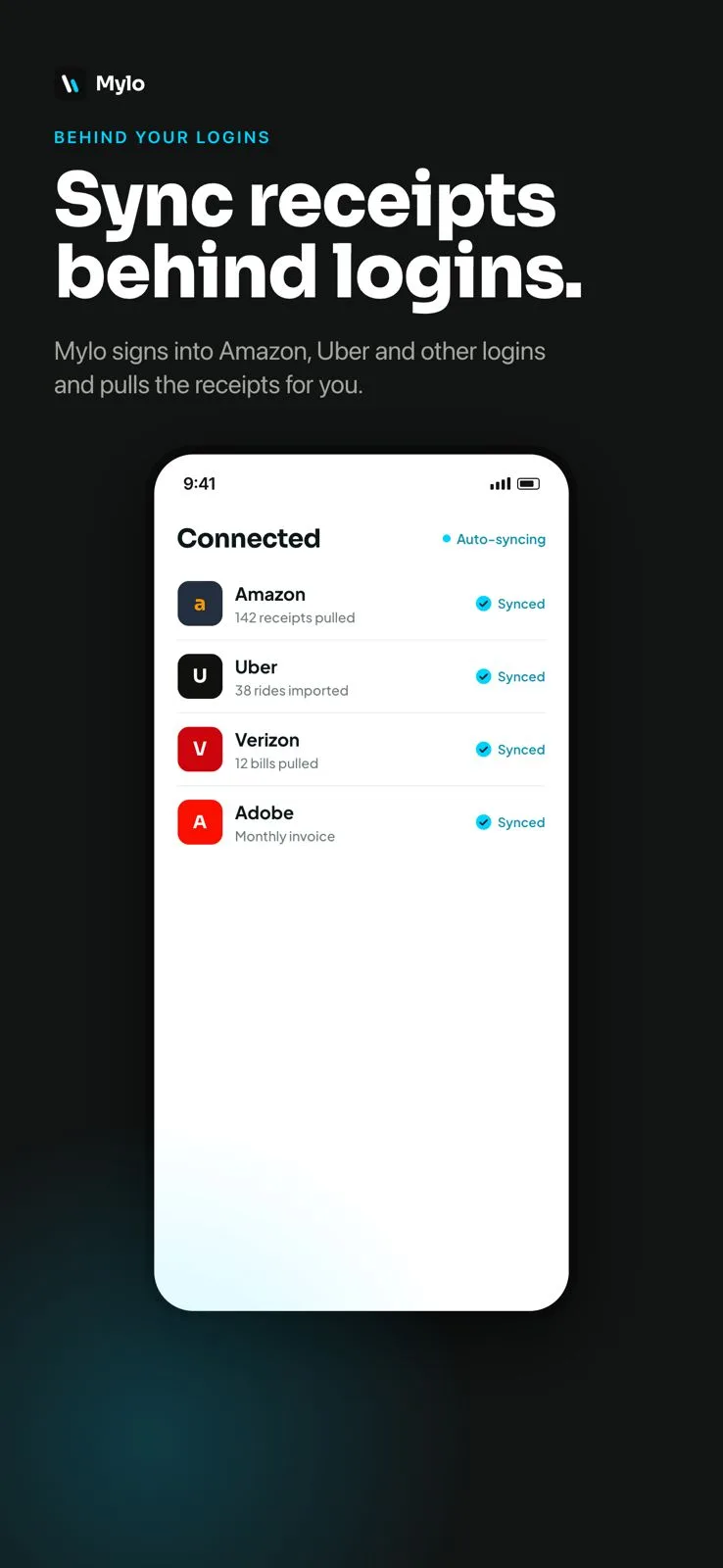
- Amazon, Uber, Verizon and Adobe connect today, with more added continuously
- Fetches the itemized invoice, not the shipping notification
- Line items, tax and totals, not a single lumped charge
Then it does the rest
Matched to the charge that paid for it
The fetched invoice is read, categorized and matched against the card or bank transaction from your Plaid feed. So the $148.32 on your statement stops being a mystery and starts being a documented expense with the invoice attached.
- Merchant, date, total and tax extracted
- Matched to the transaction across 12,000+ institutions
- Original invoice stays attached for the audit trail
Works with what you use
Accounts Mylo can sign in to.
Retail
Amazon
Travel & services
Uber
Carriers & software
Verizon, Adobe
More accounts
Added continuously
FAQ
Questions, answered.
What does retailer login sync actually do?
It connects to store and service accounts you already have, such as Amazon, Uber, Verizon and Adobe, and fetches the itemized receipt or invoice from your order history. Those documents usually are not emailed to you, so this is the only way to get them without logging in and downloading each one by hand.
I already connect my bank. Why do I need this?
Your bank feed gives you “AMAZON.COM $148.32”. That is a total, not a receipt. It does not tell you what was bought, how much of it was tax, or which line was personal. The itemized invoice does, and it lives behind the retailer login.
How are my credentials handled?
Credentials are used for one purpose, which is signing in to fetch your receipts and invoices. Mylo does not place orders, change account settings, send messages or make purchases from a connected account. The intent is read-only: go in, get the invoice, come back.
Can I disconnect an account?
Yes, at any time, from the accounts screen in Mylo. Disconnecting stops any further fetching from that account immediately. The receipts already captured stay attached to your expenses.
What if the account requires a verification code?
Some accounts add a verification step when a new sign-in happens. You complete it during setup, the same as you would signing in yourself.
Which accounts can I connect?
Amazon, Uber, Verizon and Adobe are live today and Mylo adds more continuously. If a vendor you use is not connected yet, its emailed receipts are still captured through your inbox, and you can forward anything that arrives elsewhere.
Keep exploring
Get the itemized receipt, not the statement line.
Set up in a few minutes, on the cards you already carry.
30-day free trial. No card required, cancel anytime.