Receipt capture · SMS
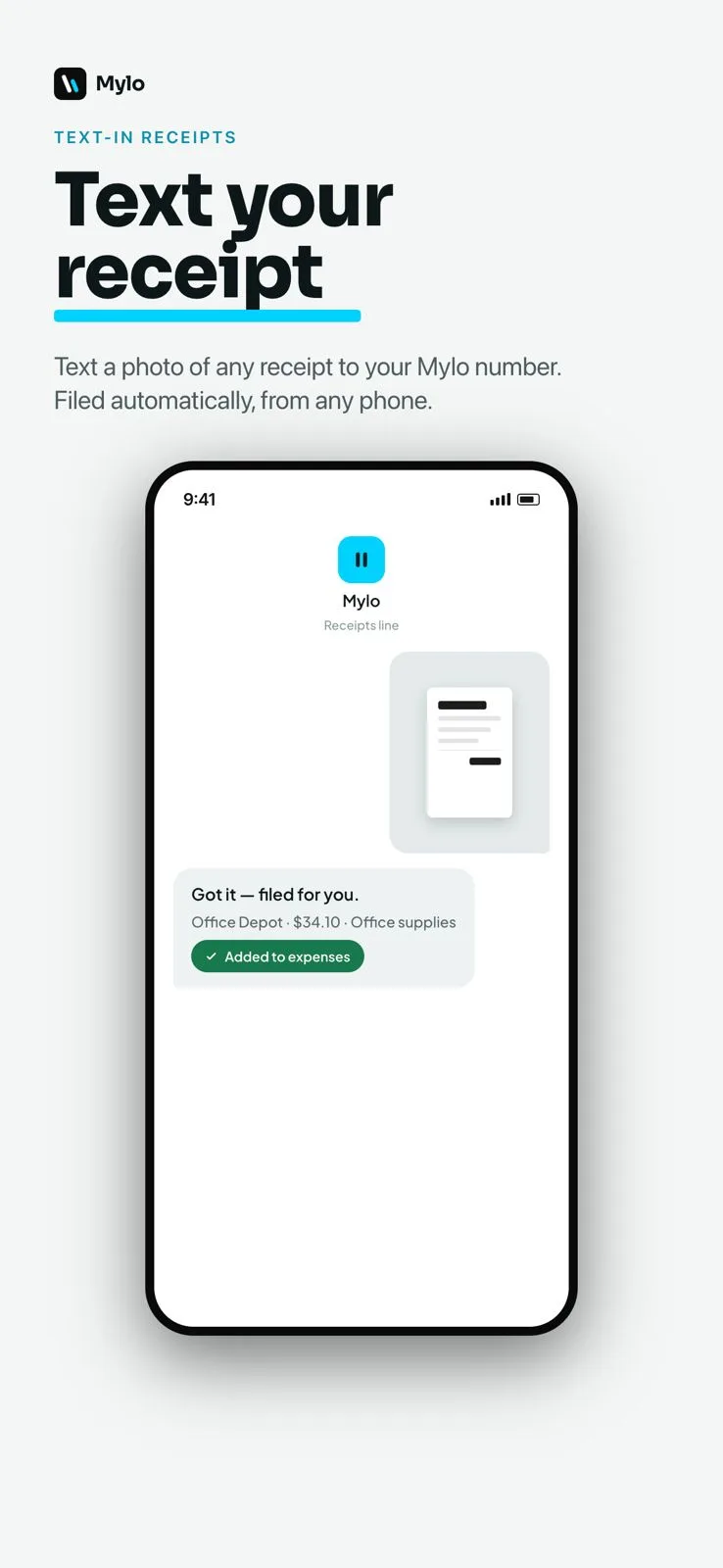
Text the receipt. That is the whole workflow.
The receipt that never gets expensed is the one that needed an app, a login and four taps. So Mylo gives you a phone number. Snap the receipt at the counter, text the photo, and it comes back as a categorized expense matched to the card that paid for it. Nothing to open, nothing to remember.


30-day free trial. No card required, cancel anytime.
How it works
From the counter to the books in one text.
The gap Mylo closes is the walk back to the truck. Receipts get texted while they are still in hand, which is the only moment they reliably get captured at all.
-
Step 1
Snap it at the register
Take the photo the second the receipt hits your hand, before it goes in a pocket, a glovebox or the wash.
-
Step 2
Text it to your Mylo number
Send the picture message like you would to anyone else. Multiple receipts in one thread is fine.
-
Step 3
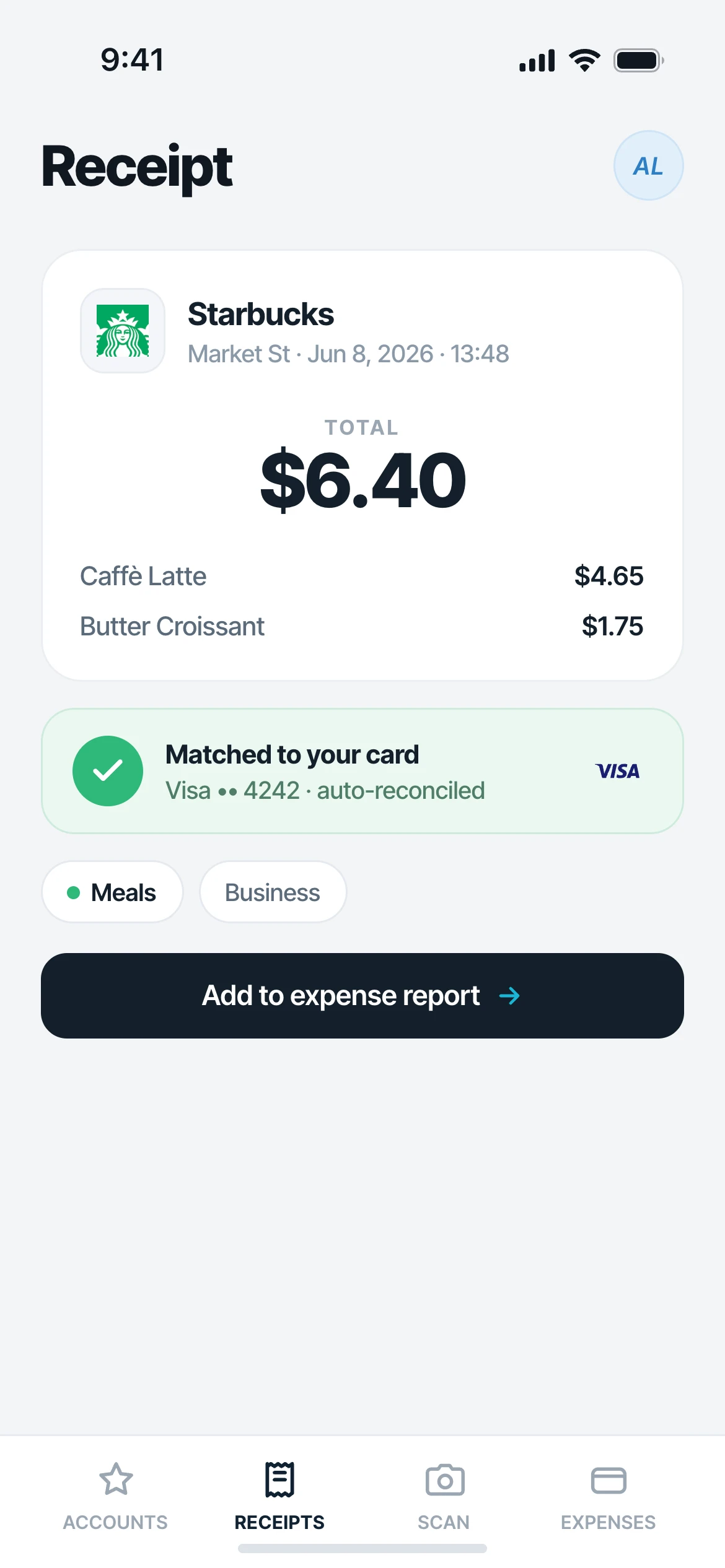
Mylo reads and files it
The merchant, date, total and tax are extracted, the expense is categorized and the transaction is matched.
-
Step 4
It lands with everything else
The expense shows up in your Mylo account alongside inbox and camera-roll captures, ready to submit or sync.
If they can text a photo, they can file an expense.
Why it matters
Why texting beats an app for field receipts.
Captured in the moment
Paper receipts fade, tear and disappear. Texting one takes three seconds while it is still legible and still in your hand.
Works for the whole crew
Subs, seasonal staff and anyone who will never install a finance app can still get their receipts into the books.
No more shoebox at month-end
Receipts arrive continuously instead of as a pile handed over three weeks later with half of them missing.
Same pipeline as everything else
Texted receipts are matched, categorized and synced exactly like the ones Mylo pulls from your inbox.
Zero friction
No app, no login, no training
Texting is the one thing every person on a job site, in a truck or behind a counter already does. Mylo meets them there. A subcontractor or a part-time crew member can send receipts from day one without ever installing anything.
- Works from any phone, including one without the Mylo app
- No password, no account setup for the sender
- Photo, screenshot or forwarded picture message all work
Read and matched
It comes back as a real expense
Mylo reads the merchant, date, total and tax off the photo, then looks for the card or bank transaction that settled it. You get a categorized expense with the original image attached, not just a picture in a folder.
- Merchant, date, amount and tax extracted automatically
- Matched to the transaction that paid for it
- Original photo stays attached as proof
Works with what you use
Part of the same capture net.
Text message
Photo or screenshot
Also captures from
Gmail, Outlook, iCloud
Matched against
12,000+ via Plaid
Syncs to
QuickBooks
FAQ
Questions, answered.
How do I text a receipt to Mylo?
You get a Mylo number when you set up text-in receipts. Take a photo of the receipt and send it to that number as a picture message. Mylo reads it and files it as an expense.
Does the sender need the Mylo app?
No. That is the point of it. Anyone whose phone number you have authorized can text receipts in without installing the app or signing in, which makes it the easiest way to collect receipts from subcontractors and field crews.
Can I send several receipts at once?
Yes. Send them as separate picture messages or several in a row. Each one is read and filed as its own expense.
What happens if the photo is blurry or cropped?
Mylo files what it can read and flags the expense for review so you can correct the amount or merchant. The original image stays attached either way.
Is a texted receipt matched to my card transaction?
Yes. Mylo looks for the bank or card transaction that settled it, the same way it does for receipts captured from your inbox or camera roll.
Which phones does this work with?
Any phone that can send a picture message, on iPhone or Android. There is no app requirement on the sending side.
Keep exploring
Give the crew a number to text.
Set up in a few minutes, on the cards you already carry.
30-day free trial. No card required, cancel anytime.