Industries · Trades & field services
Parts bought at 10am. Filed by 10:01.
HVAC, plumbing, electrical, landscaping, pest control. The pattern is the same everywhere: a tech is halfway through a call, needs a part, drives to the supply house, buys it on a company card and gets back on the road. Six calls later the receipt is a ball of paper on the dash, and the owner is reconciling all of it on Sunday night. Mylo captures it while the tech is still standing at the counter.


30-day free trial. No card required, cancel anytime.
How it works
It has to fit between two calls.
Anything that takes longer than the walk back to the van does not get done. So capture is one action, and Mylo does the rest without anybody logging in.
-
Step 1
Scan or text at the counter
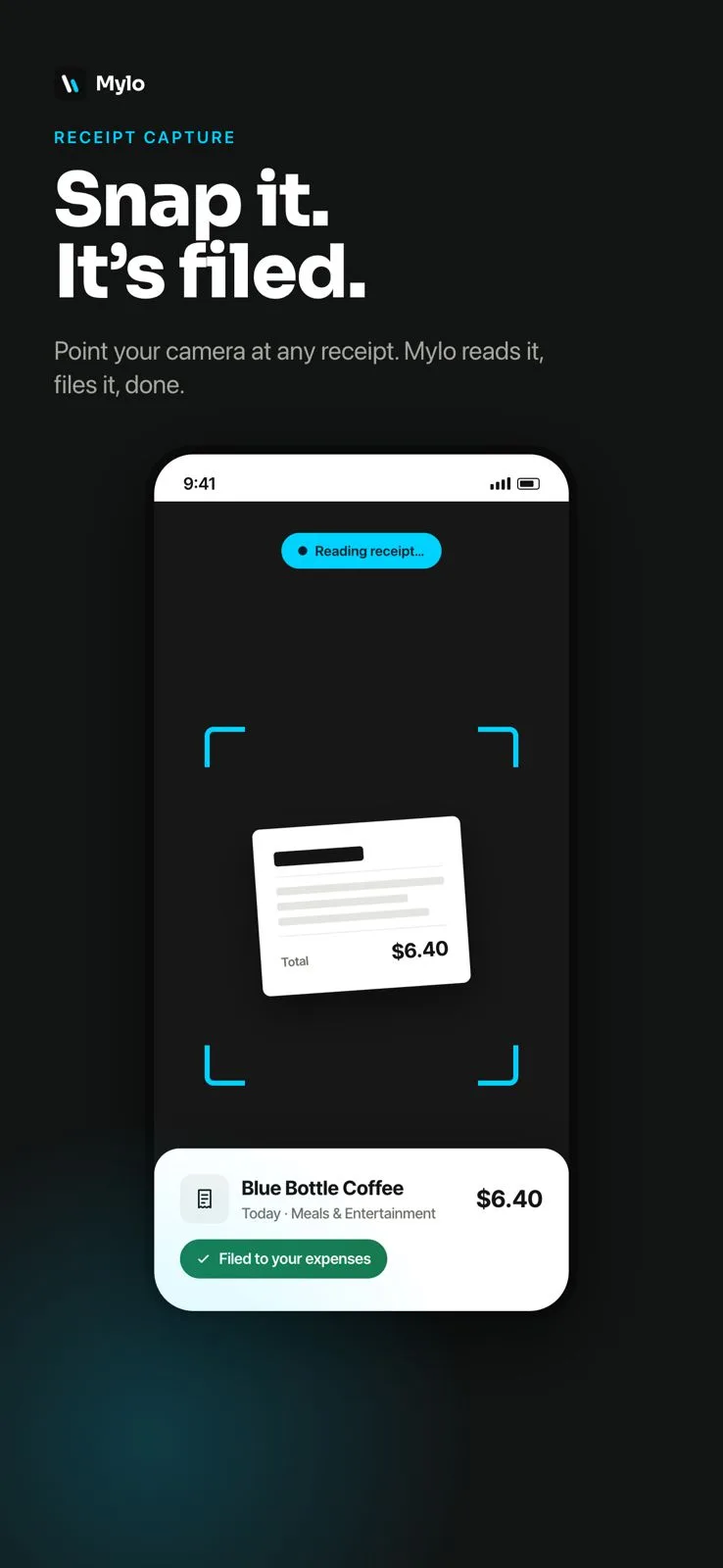
The tech photographs the parts receipt before leaving the supply house. That is the entire ask on their side.
-
Step 2
Mylo reads and categorizes it
Merchant, date, total and tax are extracted and the expense is drafted, so nobody keys a $38 fitting into a spreadsheet.
-
Step 3
Matched to the card charge
The receipt is paired with the transaction from your bank or card feed, so the paperwork and the money line up on their own.
-
Step 4
You review, not rebuild
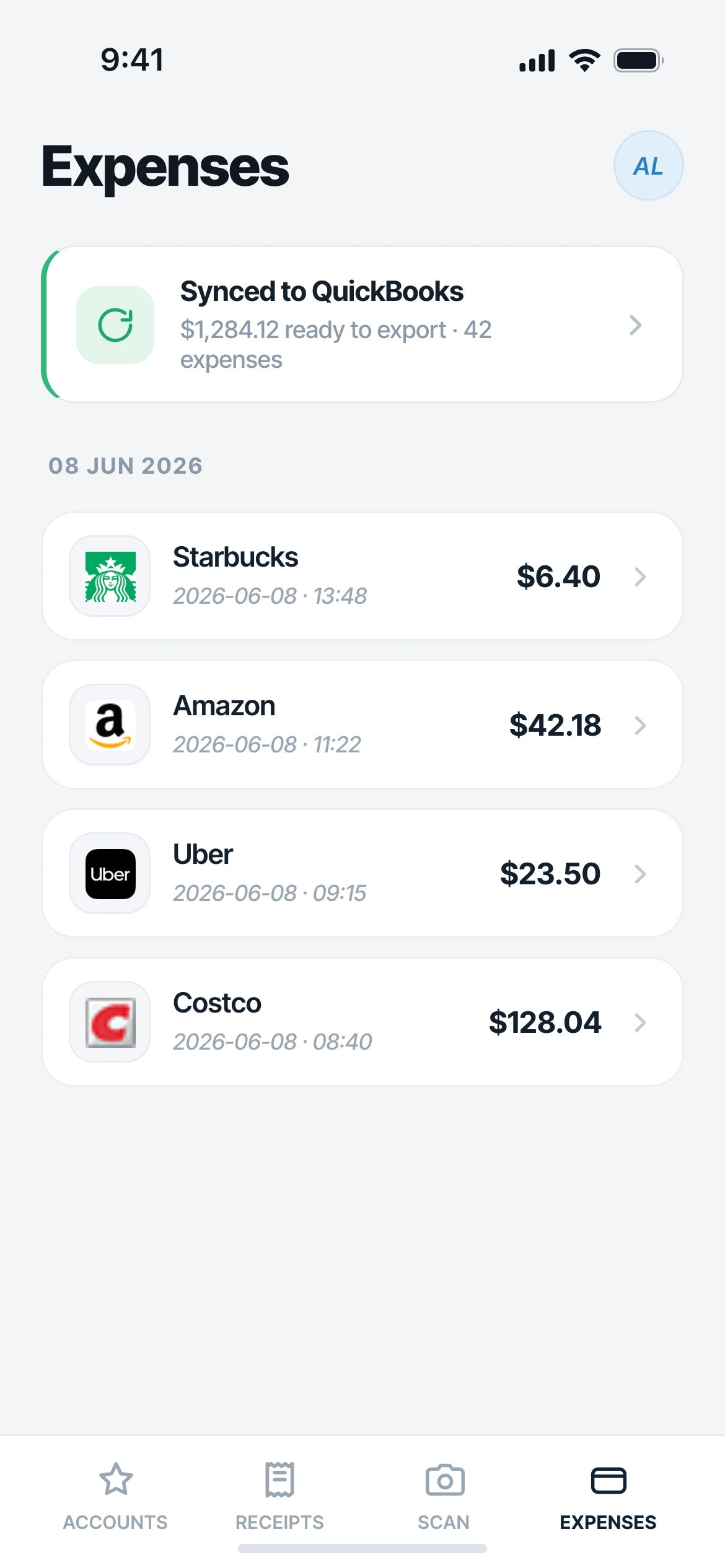
Expenses arrive drafted. Approve them, ask Mylo a question about them, and sync them to QuickBooks with the receipt attached.
Nobody should be sorting parts receipts on a Sunday night.
Why it matters
What the owner gets back.
No Sunday night pile
Receipts arrive continuously through the week instead of as a bag handed over at month end with a third of them missing.
Works for every tech
The ones with the app scan. The ones without it text. Nobody is excluded because they will not set up an account.
Miles are recorded, not guessed
Mileage expenses go in on the day of the drive rather than being reconstructed from a route history weeks later.
Answers in plain English
Ask what you spent at the supply house last month or which tech is buying the most parts, and Mylo answers from your own spend.
Capture on the route
Camera in the van, text from anyone else
Techs who carry the app scan the receipt with the camera and it is read on the spot. Techs who do not, and any helper or seasonal hire, can text a photo to your Mylo number with no app and no login. Either way it arrives as a categorized expense with the image attached.
- Camera scan reads merchant, date, total and tax
- Text-in works from any phone with no app installed
- Camera-roll import catches the photos that were taken but never sent
The drive counts too
Miles between calls, and charges that match themselves
A service day is mostly driving. Mileage expenses record the trips between calls and supply runs. Meanwhile Mylo reads your card and bank feeds through Plaid and matches each receipt to the charge that settled it, so the reconciliation is already done when you look at it.
- Mileage expenses for the drive between calls
- Bank and card matching across 12,000+ institutions through Plaid
- Missing receipts are obvious because the charge is sitting there unmatched
Works with what you use
How a service business gets captured.
In the field
Camera scan or text
Cards and banks
12,000+ via Plaid
Email receipts
Gmail, Outlook, iCloud
Accounting
QuickBooks
FAQ
Questions, answered.
How do techs submit receipts without stopping work?
They scan the receipt with the Mylo camera at the counter, or text a photo to your Mylo number. It takes a few seconds and the expense is drafted, categorized and matched without anyone opening a spreadsheet.
What if a tech will not install the app?
Text-in receipts need no app on the sending phone. Authorize their number and they can send a picture message of the receipt. That covers helpers, seasonal hires and subcontractors too.
Does Mylo track mileage between service calls?
Yes. Mileage expenses are part of the same account as the receipts, so the drive between calls and the parts bought on the way are recorded together instead of in two separate systems.
Do we have to switch cards?
No. Mylo works on the Visa, Mastercard and Amex cards you already carry, connecting through Plaid to read transactions and match receipts to them. There is no new corporate card to issue.
What happens to a charge with no receipt?
It sits in your transactions unmatched, which is exactly how you find it. Chase the one missing receipt instead of auditing the whole month.
Does it work on Android?
Yes. Mylo is on iOS, Android and the web. It is a free download with a 30-day Pro trial, then $9 per user per month.
Keep exploring
Stop reconciling on Sunday night.
Set up in a few minutes, on the cards you already carry.
30-day free trial. No card required, cancel anytime.